
AgentAway

A phone remote for Claude Code and Codex

Leave your desk.Not your agent.

Use the Claude Code and Codex on your own computer or server from your iPhone or Android phone. Follow progress, reply, and approve the commands they want to run.

First, on your computer

curl -fsSL https://agentaway.xnngs.cn/install.sh |⁠ sh

$ curl -fsSL https://agentaway.xnngs.cn/install.sh | sh

Node 22.12.0

Claude Code 2.1.327 · Codex 0.169.1

Background service running, relay connected

Scan with AgentAway to pair (valid for 10 minutes)

An approval card asking to run pnpm test

How it works

The agent on your machine does the work

AgentAway provides no model and has no accounts. What you send from your phone is handled by Claude Code or Codex on your machine, with its tools, your code and config, and the plan you signed it in with.

Your phoneiPhone · Android · Web
RelayForwards ciphertext only
Your computer or serverThe host drives Claude Code and Codex

Your agent calls its models itself, with your plan, API key or gateway

  • No sign-up

    Scan the QR code in your terminal and you are paired. No account, and no server keeping your conversations.

  • The relay sees nothing

    Device and host are end-to-end encrypted. The relay only forwards: it cannot read your traffic or pose as your machine.

  • Sessions stay yours

    Start a session on your phone and pick it up with claude --resume at your desk. Terminal sessions show up on your phone too.

Features

Away from the keyboard, still in the loop

Sessions

Every session on every machine, in one list

Running, waiting for approval and waiting for input come first. Sessions started in a terminal are there too, each with its project, host, agent and model.

  • Pin, archive, filter by project, search
  • Sessions from all your hosts in one list, each labeled with where it runs
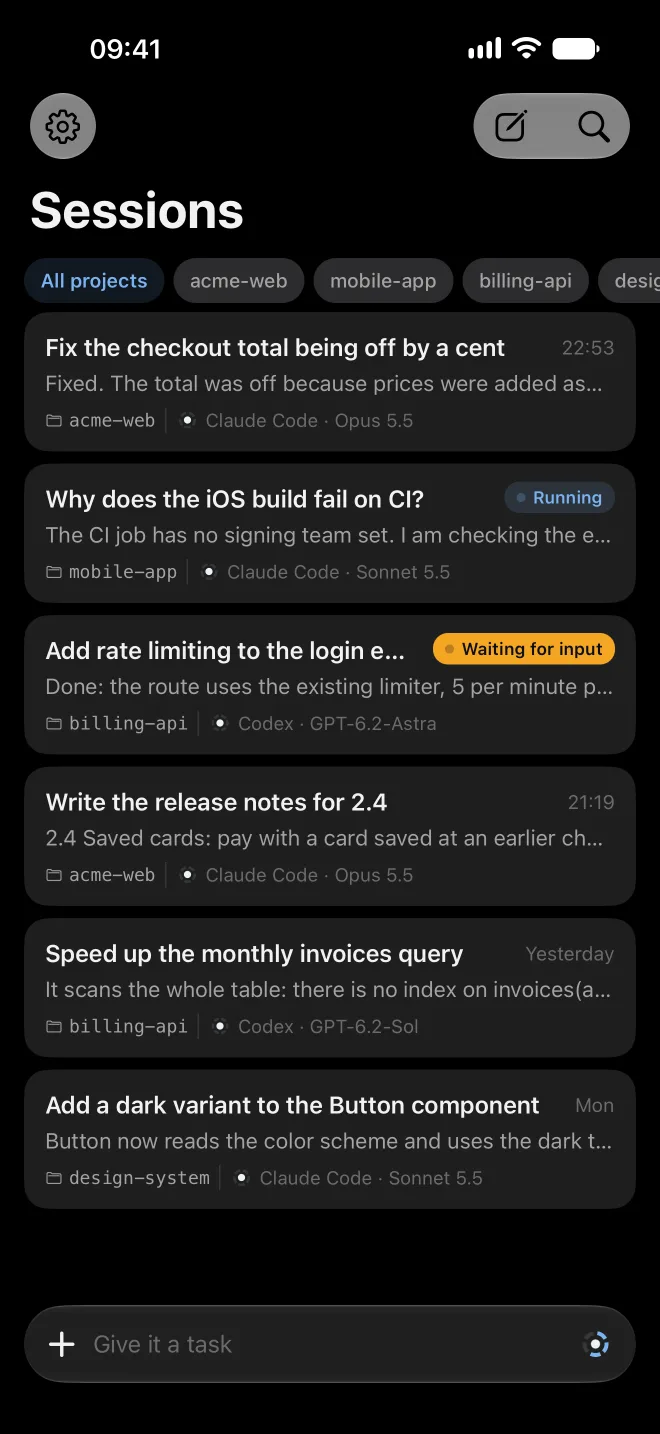
The session list, with running and waiting sessions on top

Conversation

See every step it took

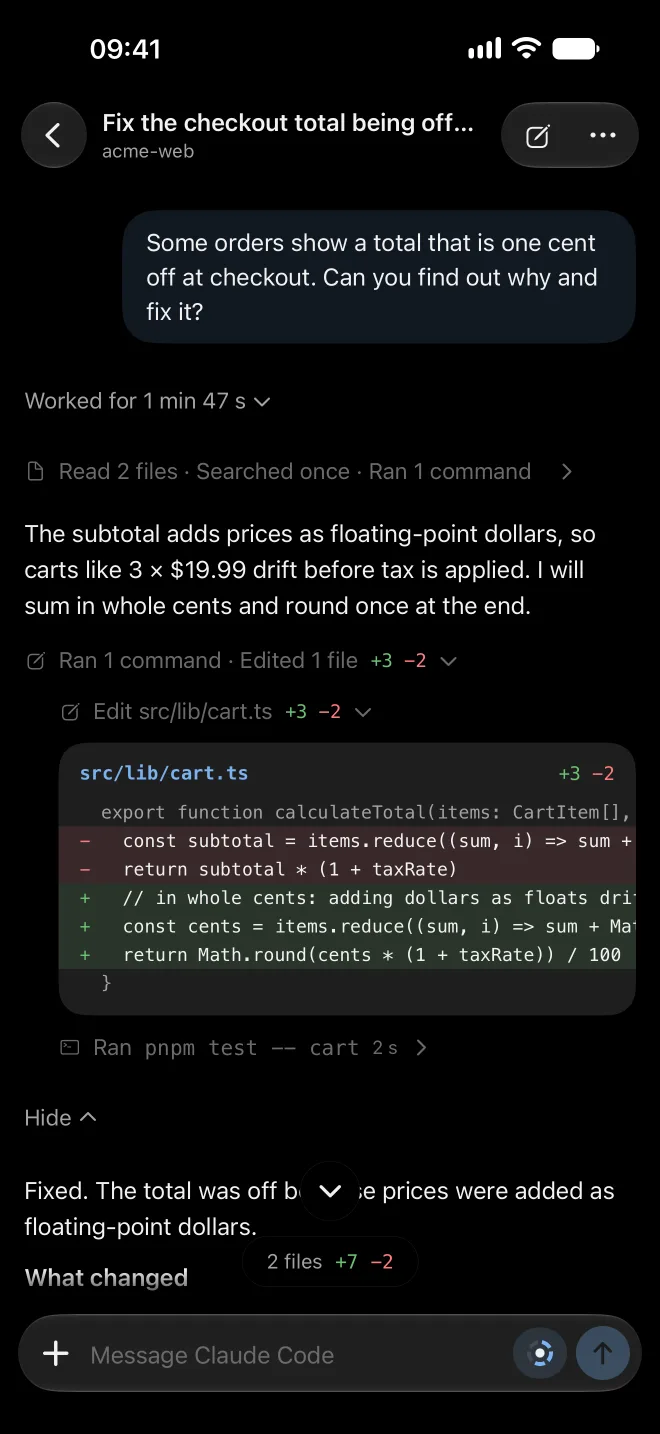
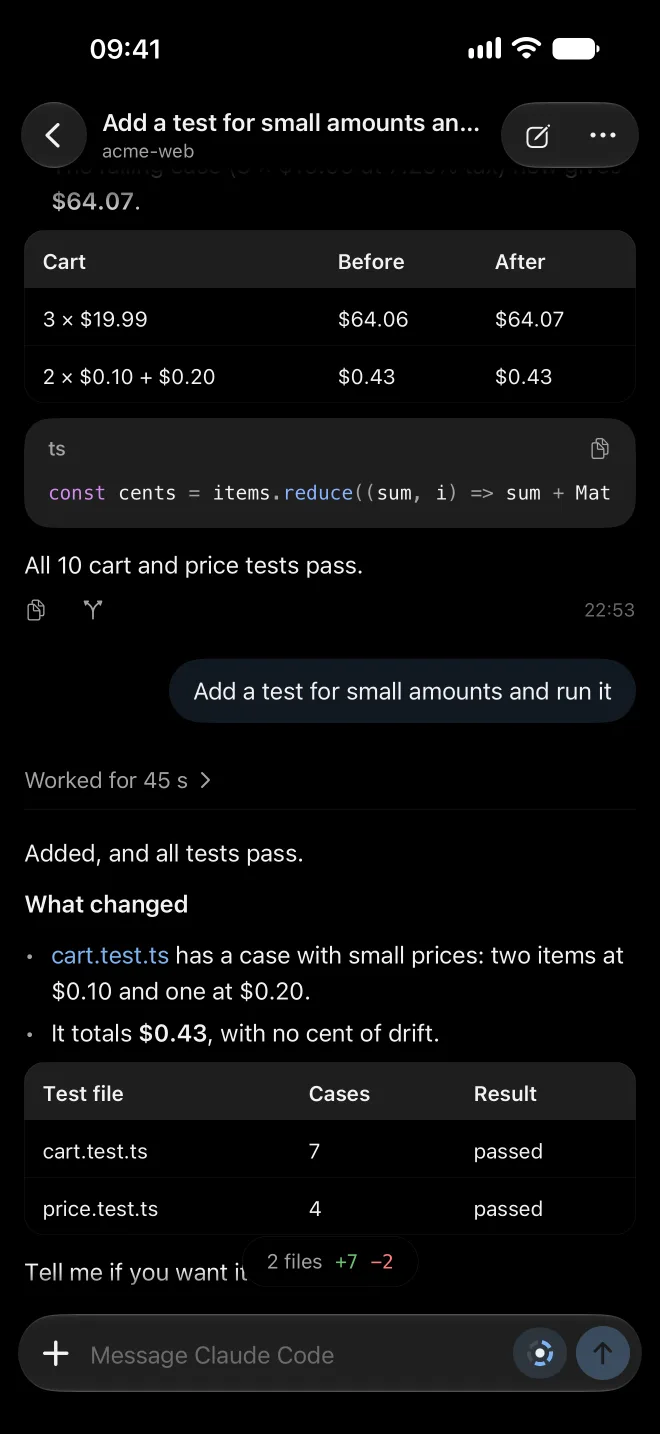
Each turn leads with the answer and folds the work into one line: read 3 files, ran 2 commands, edited 1 file. Tap to see the diff, the command output, or open the file.

  • Follow a session open in your terminal as it happens
  • Fork a new session from any answer, leaving the original as it was
A turn folded into a summary, with a file diff
A conversation with a test table in the answer

Approvals and notifications

Approve commands from your phone

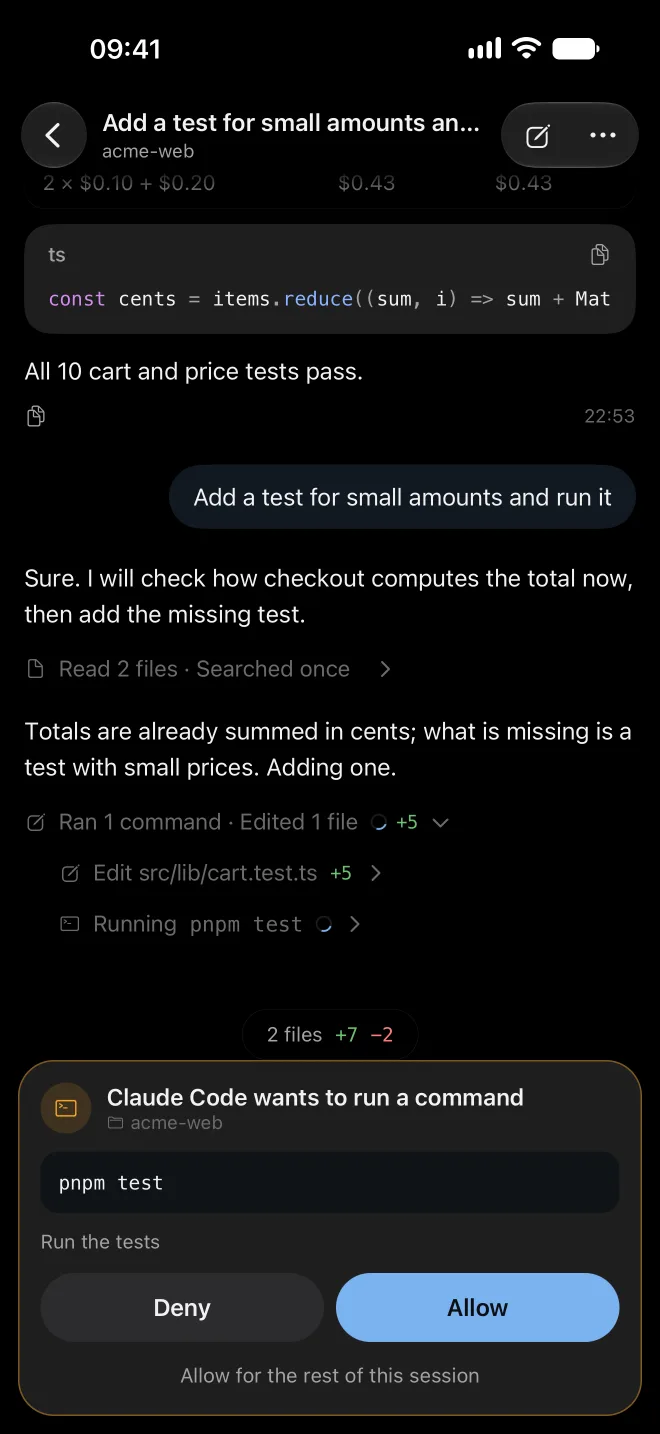
When the agent wants to run a command or edit a file, an approval card comes up: deny, allow, or allow for this session. Your iPhone is notified when a task finishes, stops on an error or needs you.

  • Notifications are a fixed short line, never session content
  • You choose what you get notified about
An approval card asking to run pnpm test

Models and effort

Switch models, dial the effort

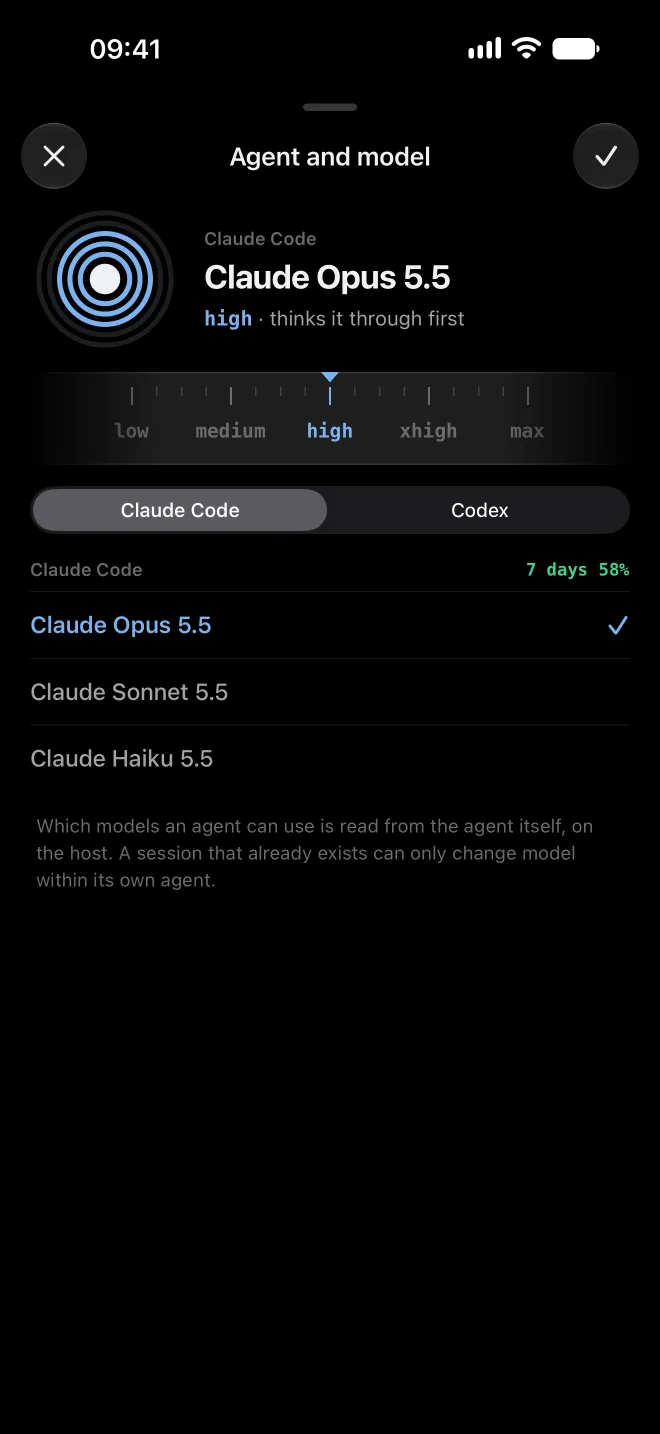
Options come from the agent itself, so whatever it offers is listed, with nothing to configure. Turn the dial to change effort, with a light tap at each step.

Choosing Claude Opus 5.5 and the high effort level

Quotas and usage

What is left, what you spent

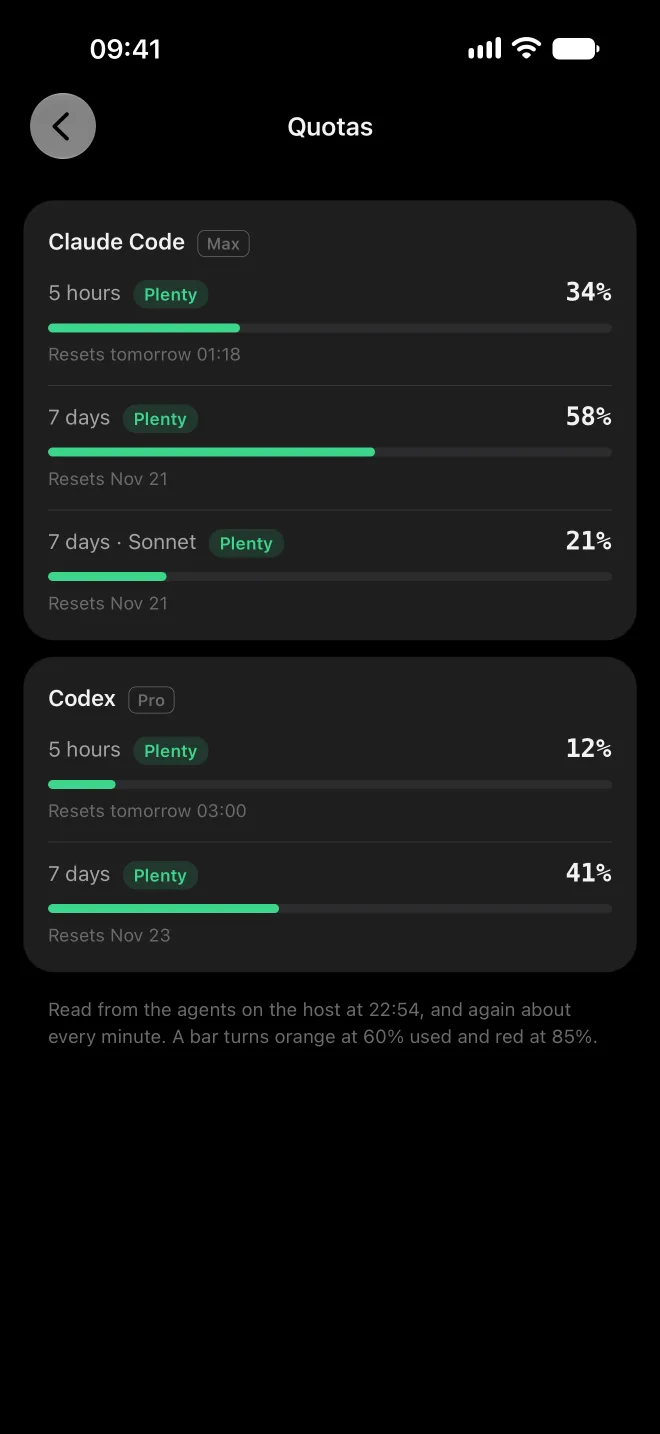
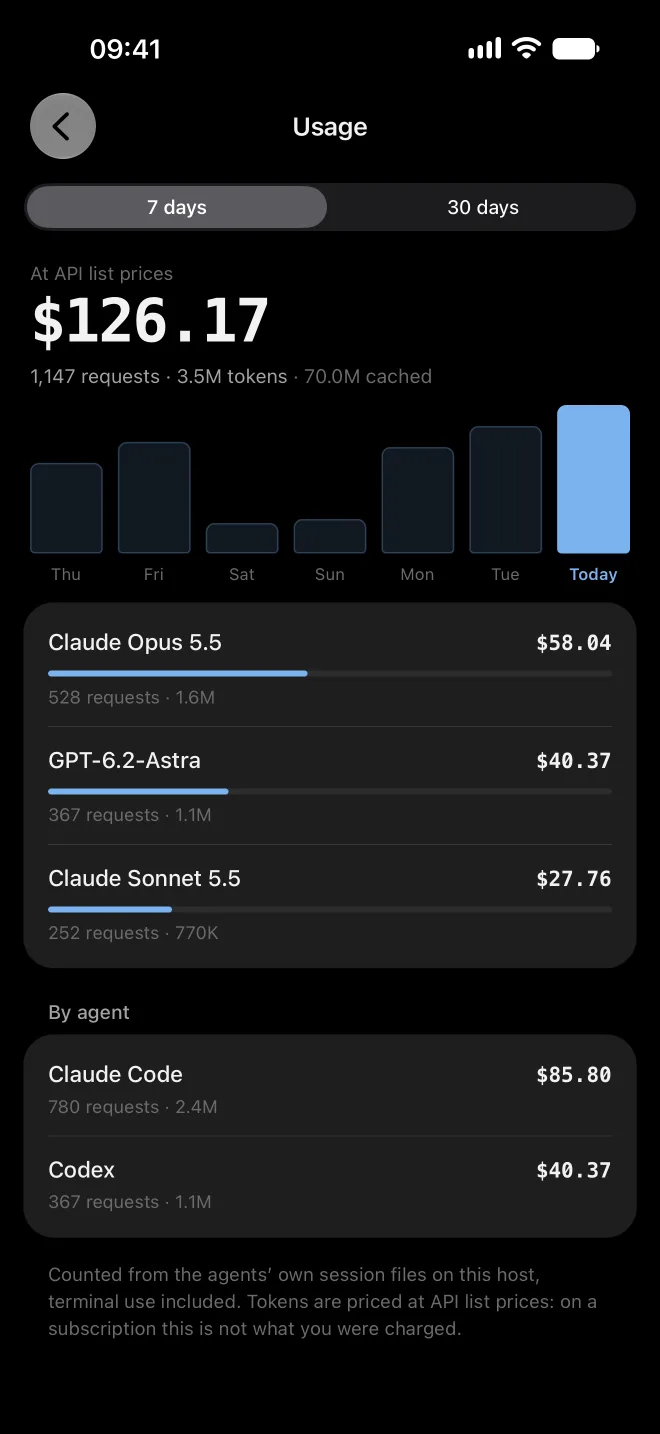
Usage and reset time for each plan window. Tokens and API-price cost over 7 or 30 days, by model and by agent, including what you ran in the terminal.

Plan quotas for Claude Code and Codex
Seven days of usage, $126.17 at API prices

Multiple hosts

Your laptop and your servers, together

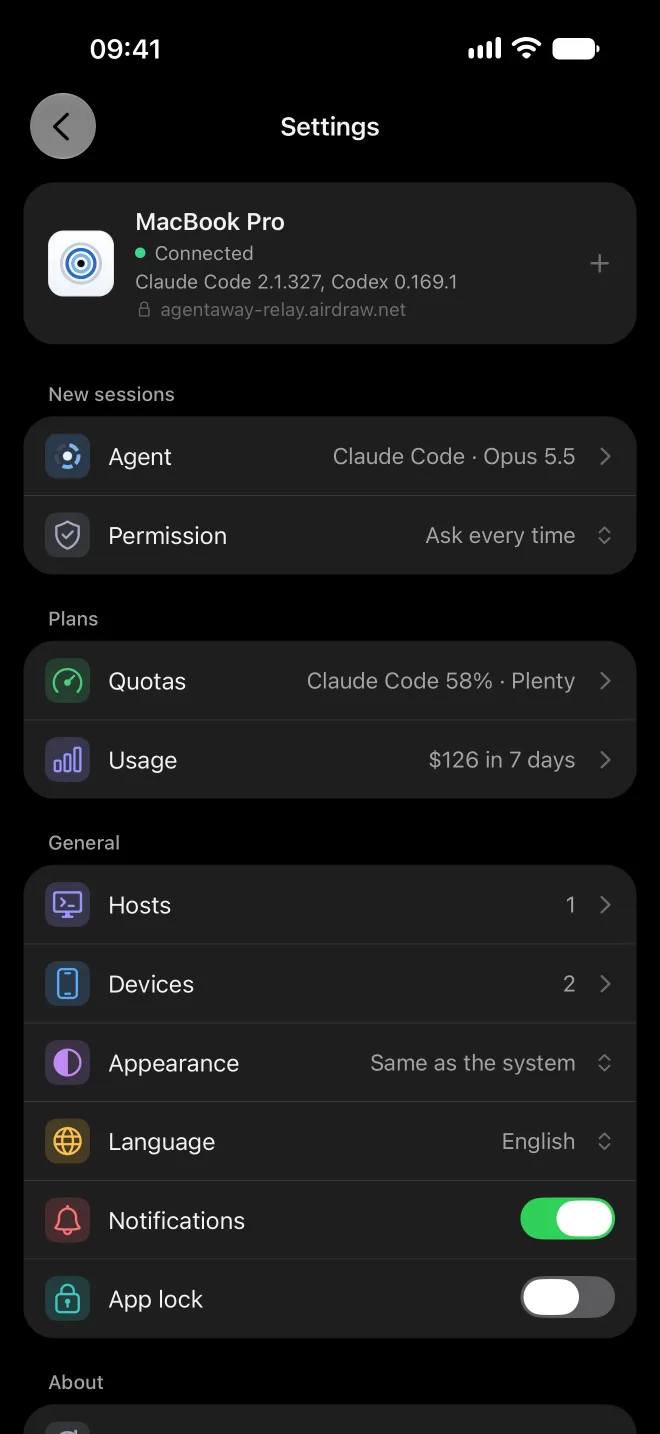
Pair one app with several hosts and pick where each new session runs. Remove paired devices any time, and add a Face ID lock on iPhone.

Settings with the paired host, quotas and usage

Get started

Run one command on your computer

Works on macOS and Linux, including servers over SSH.

curl -fsSL https://agentaway.xnngs.cn/install.sh |⁠ sh

Requires Node 22.5 or later, and Claude Code or Codex installed and signed in.

  1. Run the command

    On the machine where your agent lives. It checks the setup, installs the host as a background service and adds the agentaway command. Run it again to update.

  2. A QR code appears

    The code works once and expires after 10 minutes. Run agentaway pair for a new one.

  3. Scan it with the app

    Open AgentAway and scan. Once paired you see the sessions on that machine.

Adding another machine: run the same command there too, then choose “Pair another host” from the host menu in the app.

$ curl -fsSL https://agentaway.xnngs.cn/install.sh | sh

Node 22.12.0

Claude Code 2.1.327 · Codex 0.169.1

Background service running, relay connected

Scan with AgentAway to pair (valid for 10 minutes)

Download

Get it on your phone

iPhone

Download from the App Store.

Download on the App Store

Not available on the App Store in mainland China; use an Apple ID from another country or region.

Android

Download the installer directly.

Download APK

Checking the latest version

When installing, allow apps from this source if Android asks. The Android app has no notifications yet.